

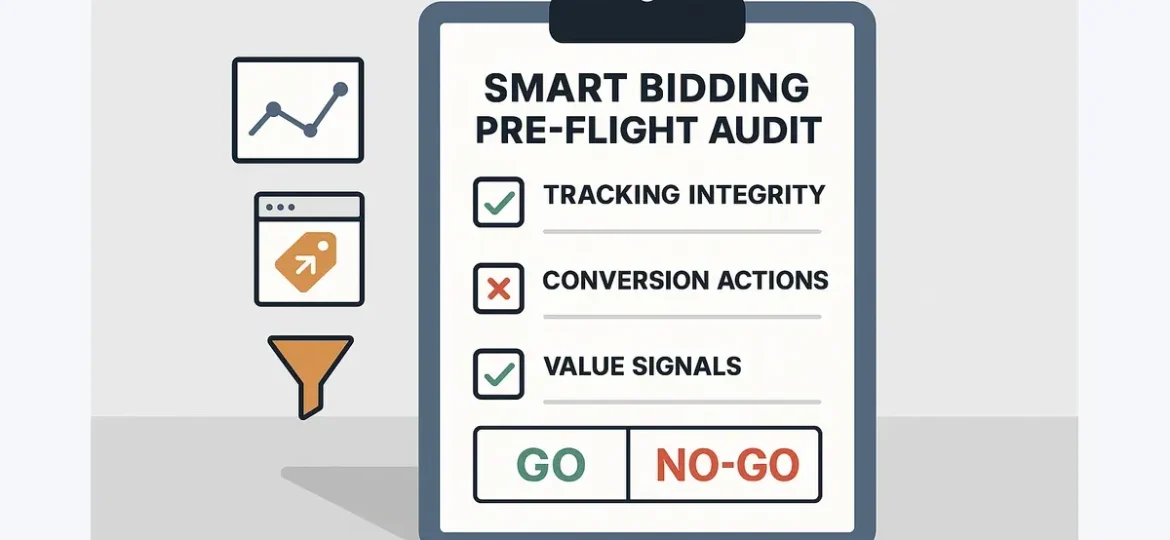
Google Ads Smart Bidding audit: the fundamentals to check before automation
Smart Bidding is a prediction-and-optimization system that sets bids based on the likelihood of a conversion and (optionally) its value—using the conversion and value data you feed it.
Smart Bidding isn’t a strategy: what this audit is (and isn’t)
This is a pre-flight check on inputs. It won’t pick your market, write ads, or fix a weak offer. It answers one question: is measurement clean enough that automation can learn the right thing?
Signals you control vs. signals you don’t
You control: conversion actions and values, attribution model and windows, Primary vs Secondary, budgets/targets, offline imports + deduplication.
You don’t control: user/context signals (device, location, time, query intent), auction dynamics, competitor behavior.
If conversion definitions are noisy or values are wrong, turning on tCPA/tROAS makes the system optimize toward the wrong outcome—efficiently.
When to run this audit
Run it whenever inputs might have changed:
- Tracking changes (GTM/gtag), Consent Mode updates, Enhanced Conversions rollout
- Site/checkout changes, new payment provider, new domain/subdomain
- New goals (e.g., lead volume → qualified leads)
- CRM/offline imports added or modified
- PMax expansion or major creative/landing changes
How to use the checklist
Treat items as pass/fail. If you fail a core check, stop and fix measurement/config first—don’t tune targets to compensate.
Need one clean URL version before you share or publish? Use the canonical checker.
Checklist: Required audit #1 — Conversion tracking integrity (is the data real?)
Confirm conversions represent real actions and show up once.
- Tag firing/confirmation: Pass if one conversion records per completed action—and refresh/return visits don’t create extras.
- Common failures: thank-you page fires on every load; form submit fires twice; SPA route changes re-fire.
- Quick test: run 3–5 conversions end-to-end, then check Google Ads diagnostics + GTM Preview/Tag Assistant.
- Deduplication (one source of truth per conversion action): Pass if each conversion action is attributed to one pipeline (Ads tag/gtag or GA4 import or offline/CRM import).
- Mini example: a lead form fires a Google Ads conversion via GTM on submit, and the CRM later imports the same lead as an offline conversion without a stable unique ID—result: double-counted conversions and artificially low CPA.
- Fix pattern: separate stages (“submission” vs “qualified” vs “closed won”), and use stable IDs (GCLID/GBRAID/WBRAID + timestamp) for imports/dedupe.
- Reference: Google’s offline conversion import identifiers: https://support.google.com/google-ads/answer/2998031
- Consent Mode + Enhanced Conversions (especially lead gen): Pass if consent states update correctly and reporting shifts are explainable.
- Check: Consent Mode is correctly configured in GTM/gtag (states change on accept/deny).
- Check: Enhanced Conversions is enabled for relevant actions and matching quality isn’t consistently “poor.”
- Reference: Enhanced Conversions overview: https://support.google.com/google-ads/answer/9888656
- Cross-domain/payment-provider journeys: Pass if conversions still attribute when the journey crosses domains/subdomains or third-party checkouts.
- Common breakpoints: checkout on another domain, redirect chains that drop parameters, payment provider referrals overwriting original source.
Pass/fail gate: If you can’t reconcile Google Ads conversions to real actions within a tolerable variance, do not change bidding targets. Fix tracking first.
Checklist: Required audit #2 — Conversion hygiene in Google Ads (is the model optimizing to the right thing?)
Accurate tracking still fails if you tell Smart Bidding the wrong north star.
- Primary vs Secondary conversions: Pass if only true business outcomes are Primary (used for bidding) and micro-conversions/diagnostics are Secondary.
- Secondary examples (usually): page views, scrolls, “pricing page viewed,” chat opened.
- Counting method (One vs Every): Pass if counting matches how outcomes should accumulate.
- One: lead gen, sign-ups, cases where repeats shouldn’t count multiple times per click/user.
- Every: ecommerce purchases where each order is meaningful and tracked cleanly.
- Mini example: subscription sign-up should typically be “One”, while ecommerce purchases may be “Every” if repeat purchases are meaningful and tracked correctly.
- Attribution model + conversion window alignment: Pass if the window matches real lag.
- Too short: undercounts and biases toward lower-lag clicks.
- Too long: over-credits stale clicks.
- Reference: conversion window settings: https://support.google.com/google-ads/answer/3123169
- Micro-conversions/noisy goals: Pass if noisy actions can’t steer bids.
- Poison pattern: conversion rate rises while quality/revenue falls.
- Fix: keep micro actions Secondary (or in GA4 reporting only).
- Create a conversion action map (do this once): List each conversion action with name, source, Primary/Secondary, count method, window + attribution, and what decision it supports.
Checklist: Required audit #3 — Value and revenue signals (for tROAS/value-based bidding)
tROAS/Maximize conversion value need values that are present and comparable.
- Value consistency: Pass if values represent the same “unit” across the goal (revenue with revenue, or lead value with lead value) and currency matches.
- Fail examples: mixing ecommerce revenue with lead scores; using margin for some products and revenue for others without a consistent rule.
- Missing or flat values: If most conversions have no value—or a constant value—tROAS optimizes on noise.
- Fallback: use tCPA/Max Conversions with the correct Primary conversion; add value rules/modeling only after hygiene is stable.
- Lead value strategy (pick one, define hierarchy):
- (a) Offline conversion imports with real outcomes (qualified/SQL/revenue/closed won), or
- (b) Modeled values (predicted LTV, stage-based values).
- Don’t mix without a clear hierarchy + dedupe plan, or you’ll double-count value.
- Sanity checks (outliers): Pass if value per conversion is believable, order size distribution doesn’t show spikes, and currency is consistent.
Minimum viability: If the majority of conversions lack value or values aren’t stable, defer tROAS and fix value instrumentation first.
Decision, ramp, and validation: when to trust Smart Bidding after the audit
Go / no-go gate (minimum viable inputs)
Go if all are true:
- Tracking integrity passes (no systematic missing/duplicate conversions)
- Primary conversion is the business outcome; micro goals are Secondary
- Counting method and window match how the business works
- If using tROAS/value bidding: values exist for most conversions and are stable/comparable
- You’re not severely constrained by budget (or you reduced scope to avoid chronic limitation)
No-go if any core input fails. Fix it before changing targets.
If you’re updating the page snippet as you publish, use the meta tags generator to write a title/description that matches audit/checklist intent.
Ramp plan (minimal change, controlled learning)
- Match strategy to signals: tCPA for consistent outcomes; tROAS only when value is trustworthy.
- Set the initial target from recent actual CPA/ROAS; avoid step-change targets the account hasn’t achieved.
- Expect a learning period; don’t judge on day 2.
Don’t change during learning: conversion definitions, conversion values/value rules, big budget/target swings, major creative/landing changes.
Validation metrics (use more than CPA/ROAS)
- Conversion quality: qualified rate / SQL rate / close rate (lead gen)
- Value stability: AOV/value-per-conv variance and outliers (ecommerce/value bidding)
- Intent alignment: search terms and landing paths—are you buying the intent you want?
Troubleshooting patterns (check these first)
When CPA spikes or ROAS drops, check:
- Tracking changes (tags, GTM releases, Consent Mode, Enhanced Conversions)
- Conversion action changes (Primary/Secondary, counting, new imports)
- Value outliers (bad feed row, currency mismatch, duplicated revenue)
- Budget limits (new “Limited by budget,” or budget cuts)
- Brand/non-brand or geo mixing with different economics
- Recent site/CRM changes (forms, redirects, lead routing, import timing)
Supporting checks: Structure and constraints that help automation learn
- Goal clarity per campaign: Don’t mix materially different intents/outcomes under one bidding goal when measurement differs.
- Budget sufficiency: Avoid chronic “Limited by budget.” If you can’t raise budget, narrow scope so learning isn’t distorted.
- Segmentation where it matters: Split brand vs non-brand and major geo/value differences only when one target can’t fit both.
- Portfolio vs campaign-level strategies: Consolidate when campaigns share one objective and have enough volume; avoid bundling incompatible intent/value under one target.
Further reading: Google Search documentation.
